Settings
Manage your profile, security and two-factor, withdrawal wallets, identity verification, and your account data.
Settings is where you manage your account: your profile, your security (two-factor and passkeys), your withdrawal wallets, your identity verification, and your account data. Money-sensitive actions, like adding a payout wallet, ask for a two-factor step-up, so a stolen session alone cannot move your money or your payout destination.
The page is organized into sections you can jump between. This walkthrough covers the ones that matter most for trading and getting paid; Settings also has Notifications, Billing, and display preferences, which work as their labels describe.
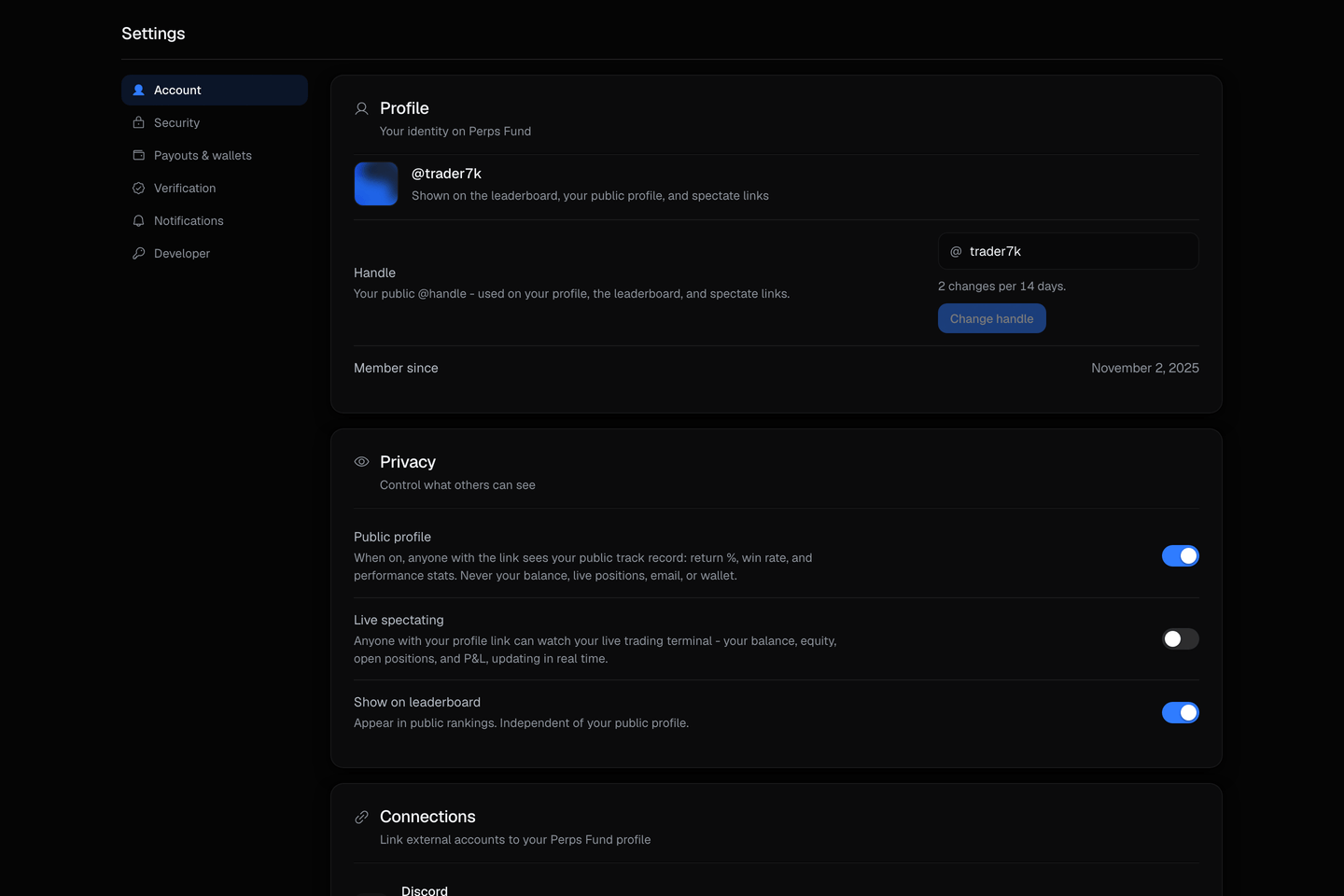
Profile
Your identity on Perps Fund: your display name and public handle, the name other traders see on your profile and the leaderboard.
| Field | What it does |
|---|---|
| Display name | The name shown on your profile. |
| Handle | Your public @username. Changing it is rate-limited to prevent churn. |
| Privacy | Controls what is visible to others, including whether your account can be spectated. |
Security
Your account protection: two-factor authentication, passkeys, active sessions, and your password.
| Control | What it does |
|---|---|
| Two-factor (2FA) | A time-based code (TOTP) plus recovery codes. Required to move money and to change your payout wallets. |
| Passkeys | A hardware or platform key you can use in place of a 2FA code for step-up. |
| Sessions | The devices signed in to your account. You can sign any of them out. |
| Password | Change your password from within your signed-in session. |
Two-factor protects money movement
Two-factor is a step-up on sensitive actions, not just login. Requesting a payout and adding a withdrawal wallet both require it, so set it up before your first withdrawal.
Verification
An identity check that unlocks withdrawals. It is required once your lifetime unverified payouts would cross $1,000, so you can start trading and even take smaller payouts before verifying, but you verify once before crossing that line.
Payouts and wallets
Where your USDC profit is sent. You add and whitelist the wallets here; the Payouts page is where you request the withdrawal.
| Field | What it does |
|---|---|
| Whitelisted wallets | The addresses a payout may target. You can keep up to 3. |
| Network | Each wallet is saved on one network: USDC on Ethereum. |
| New-wallet time-lock | A newly added wallet is held for 48h before it can receive a payout, and adding one requires 2FA. |
Danger zone
Two account-data actions live at the bottom of the page.
| Action | What it does |
|---|---|
| Export | Downloads a machine-readable copy of your account data. |
| Delete | Starts account deletion. It asks you to type your username and confirm with your password or 2FA. |
What deleting your account does
Deletion is anonymize-and-retain. You are signed out immediately, and your personal data is permanently anonymized after a 30-day grace period, during which an emailed link lets you cancel. Financial and compliance records are retained as legally required. Deletion is also blocked while you have money in flight: an active or funded account, a pending payout, or a withdrawable balance must be resolved first.