Securing your account
Two-factor, passkeys, your password, and active sessions, all managed from Settings.
Perps Fund protects money-sensitive actions with a two-factor step-up, so a stolen session alone cannot move your money or change where it is sent. This page is a quick tour of the controls; you manage all of them in the Security section of Settings.
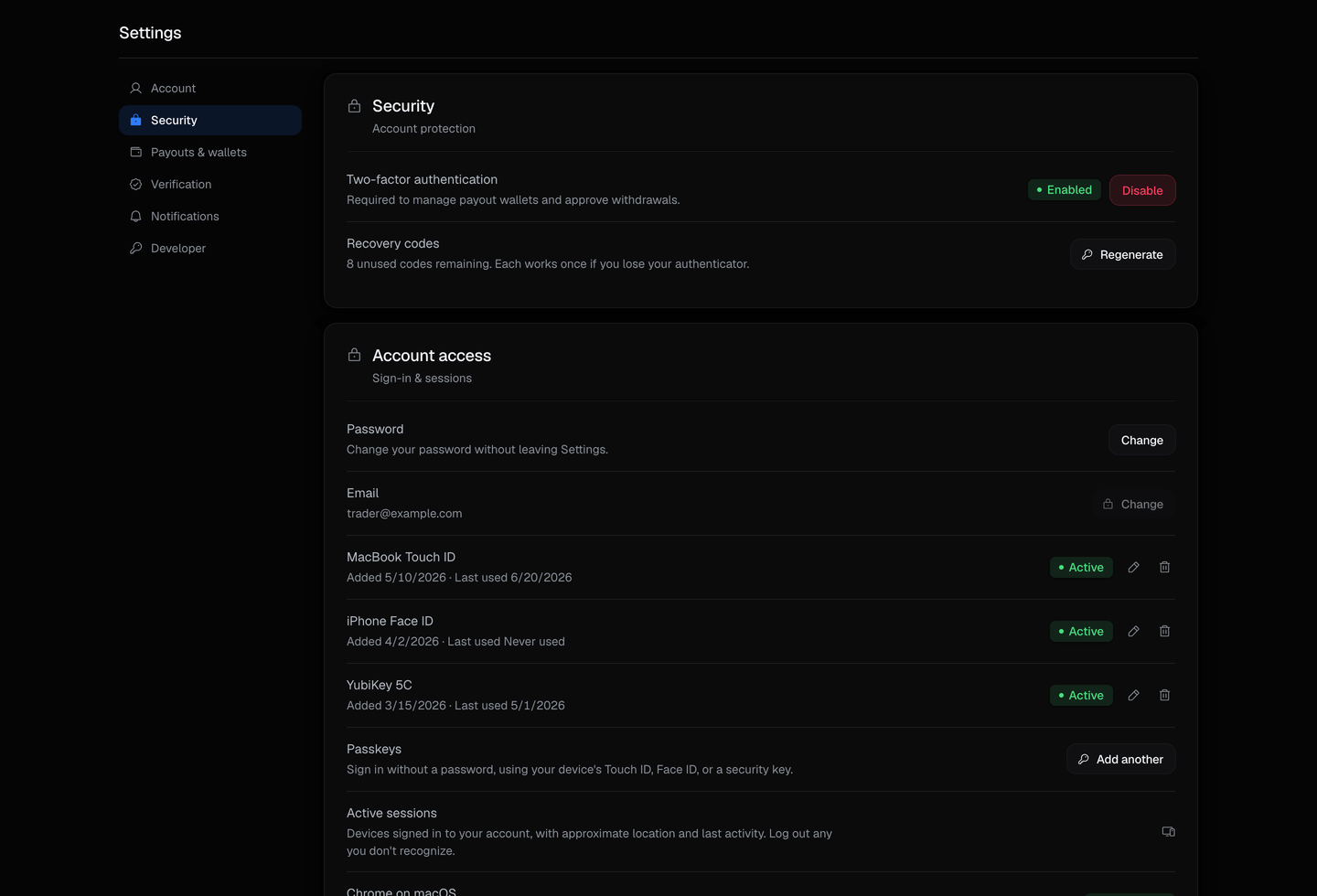
Two-factor authentication
Two-factor (2FA) is a time-based code from an authenticator app, plus one-time recovery codes. On Perps Fund it is a step-up on sensitive actions, not just a login gate: requesting a payout and adding a withdrawal wallet both require it.
Set up two-factor before your first withdrawal
Because two-factor guards money movement, you will need it enabled to add a payout wallet or request a payout. Set it up early so it is not in your way later.
Passkeys
A passkey is a hardware or platform key (Face ID, a fingerprint, or a security key) you can use in place of a two-factor code when a step-up is required. Add one from Settings.
Your password
Change your password any time from Settings while you are signed in. If you are locked out, use the password-reset link on the sign-in page: enter your email, and we send you a link to set a new one.
Active sessions
Settings lists the devices currently signed in to your account, and you can sign any of them out, so a device you no longer use cannot stay logged in.
Related
- Settings - the full Security reference, plus wallets, verification, and your data.
- Creating an account - sign up and verify your email.
- Payouts - where two-factor and the new-wallet hold come into play.